
📬 Connect TradingView to Telegram
Follow this guidelines to connect TradingView to Telegram. If you don't have an Pip Sender account yet, you can sign up for a free account here.
Step 1: Get Telegram chat Id, group Id or channel username
In the next step, you'll need to provide the channel id where you want to receive TradingView alerts. So let's prepare it first.
Just follow one of below instructions depend on your chosen destination:
Prepare Chat Id to receive alert messages in a personal chat
- Click this bot link: @PipSenderAppBot
- Click Start Bot to start a private chat with the bot
- When the chat with our bot is started, type
/chatidto get the chat Id.
You will get a chat id that looks like, 20122345678. Copy it for the next step.
Prepare Group Id to receive alert messages in a group
- Click on your Telegram group name
- Click Add Members
- Search for the bot by typing
@PipSenderAppBot - Select the bot and click Add
- When the bot is added to group, type
/chatid@PipSenderAppBotto get the group chat id.
You will get a group id that looks like, -1002947777888 (It usually starts with a minus sign). Copy it for the next step.
Prepare Channel Username to receive alert messages in a channel
- Click on your Telegram channel name
- Right click on the channel link
- Click Copy username
You will get a channel username that looks like @my_trading_channel. Keep it for the next step.
Step 2: Create a Telegram connection
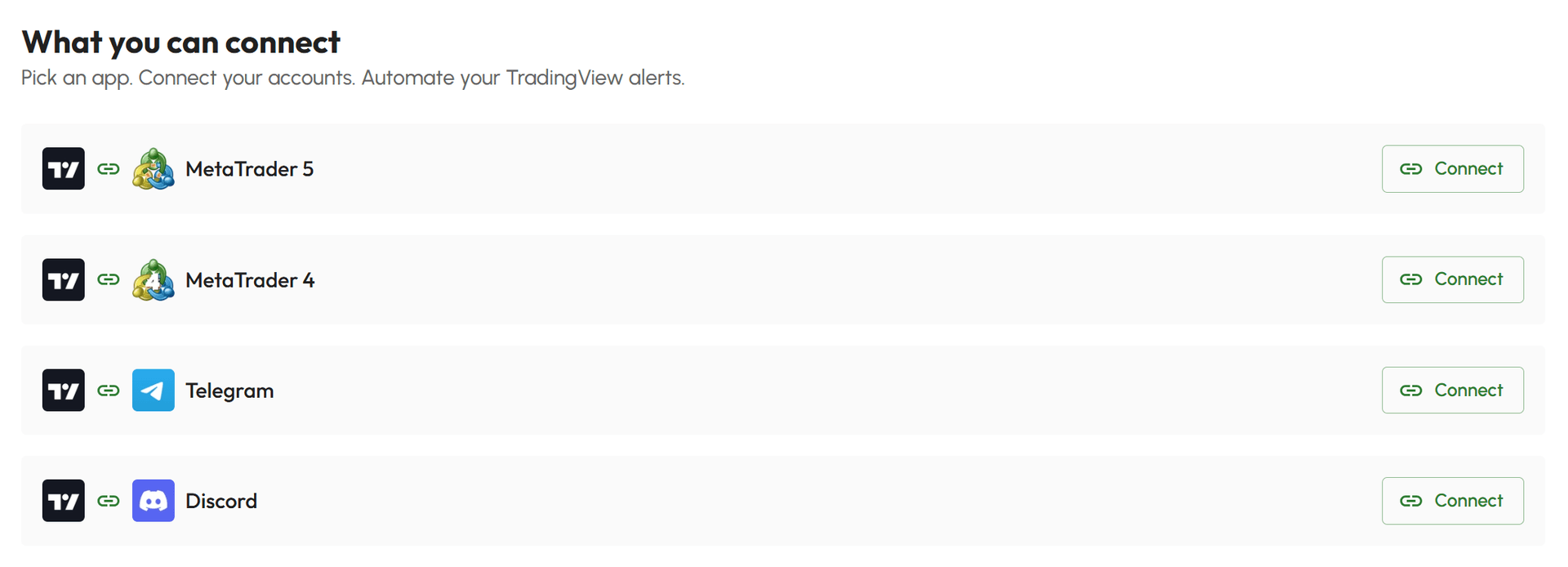
- Select Connect Hub in your Dashboard
- In the list of available apps, click Connect button on the Telegram app
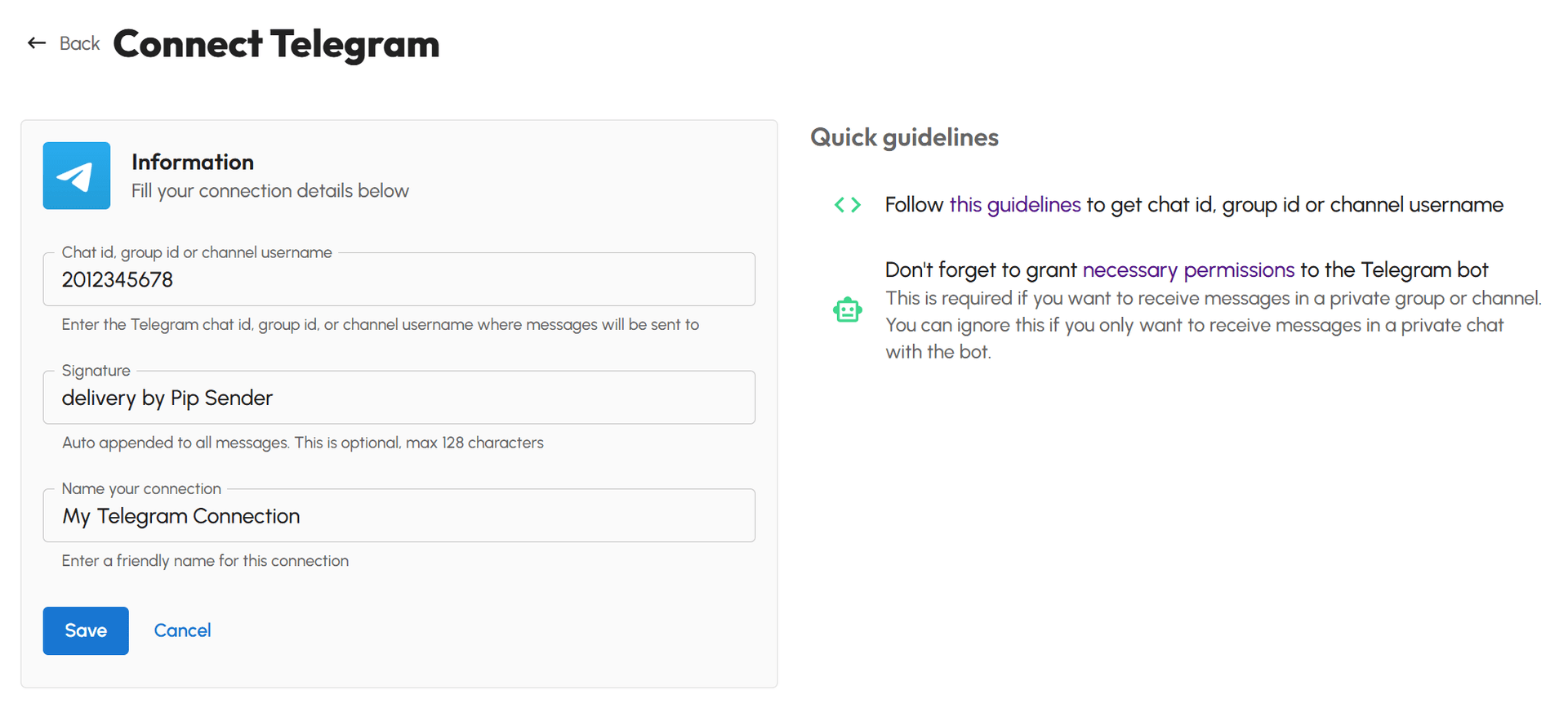
- Fill the form with these info:
- Chat Id, group Id or channel username: This is where you will receive TradingView alerts. You prepared it in the first step.
- Signature: This is optional. This signature will be added automatically into the end of all messages that send to your Telegram.
- Name your connection: Enter a friendly name for your connection
- Click Save and your TradingView to Telegram connection will be created
Step 3: Grant bot permissions
This step is required if you want to receive TradingView alerts in a private group or channel. If you want to receive TradingView alerts in a personal chat, you don't need to do anything else the connection is already work.
Just follow one of below instructions depend on your chosen destination:
Grand bot permission to send messages in a group
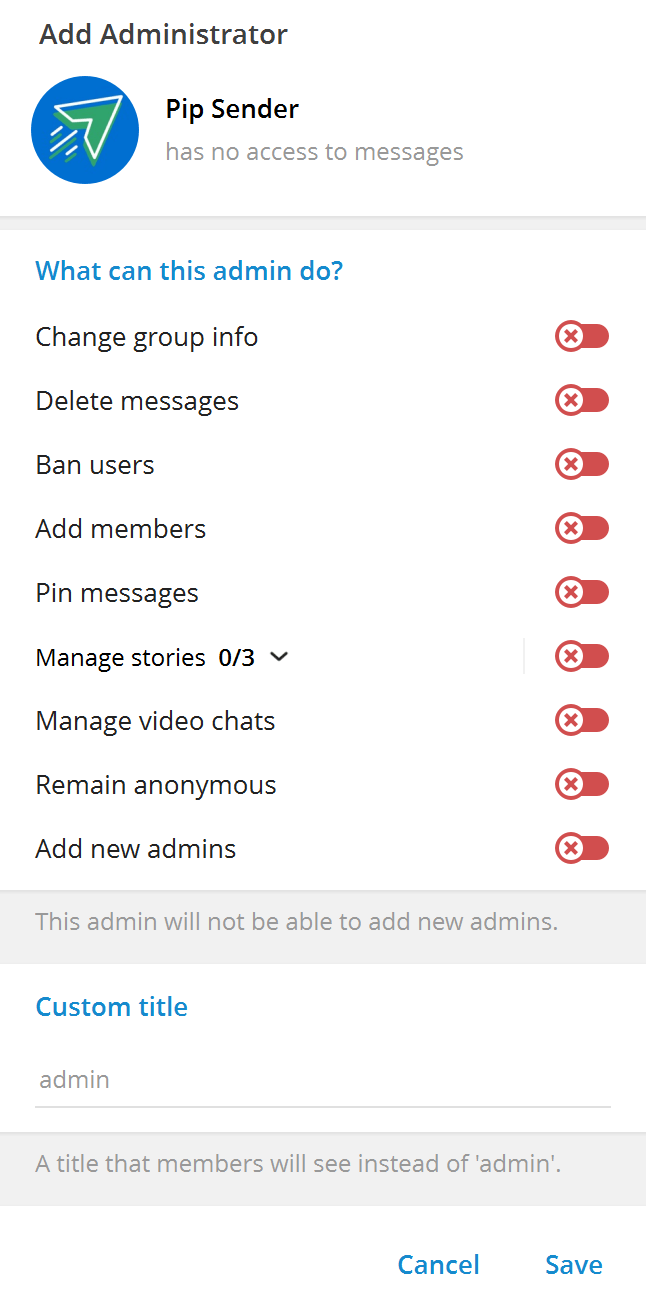
If members in your group can't send messages, you need to grant our bot the permission to send messages in your group by promote it to admin.
- In gourp member list, right click on the bot.
- Click Promote to admin
- (Optional) Turn off all permissions in the next screen.
Grand bot permission to send messages in a channel
- Click on your channel name
- Click Add Members
- Search for the bot by typing
@PipSenderAppBot - Select the bot and click Add
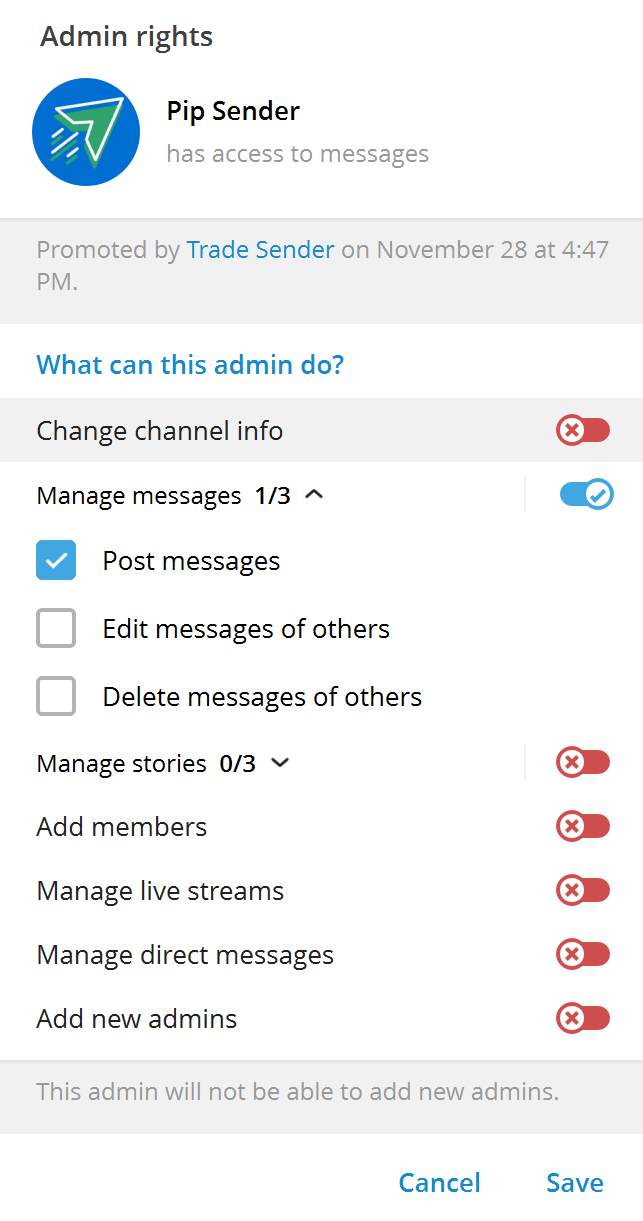
- Click Make Admin
- (Optional) Turn off all permissions in the next screen except Post Messages
Ready to get started? Sign up for an account here and start connect TradingView to Telegram.