
📡 Signal Sharing
Pip Sender allows you to:
- Share trading signals between your own connections
- Share trading signals with your followers' connections on Pip Sender
- Receive trading signals from other connections
Whether you want to send the same signals to multiple accounts or share them with thousands of traders who follow you at the same time, Pip Sender makes it posible and easy.
Trading signals are shared using a secret Sharing Code and must be accepted by both the signal provider and the receiver to ensure privacy and security.
You can access signal sharing feature in the Sharing tab of your connection.
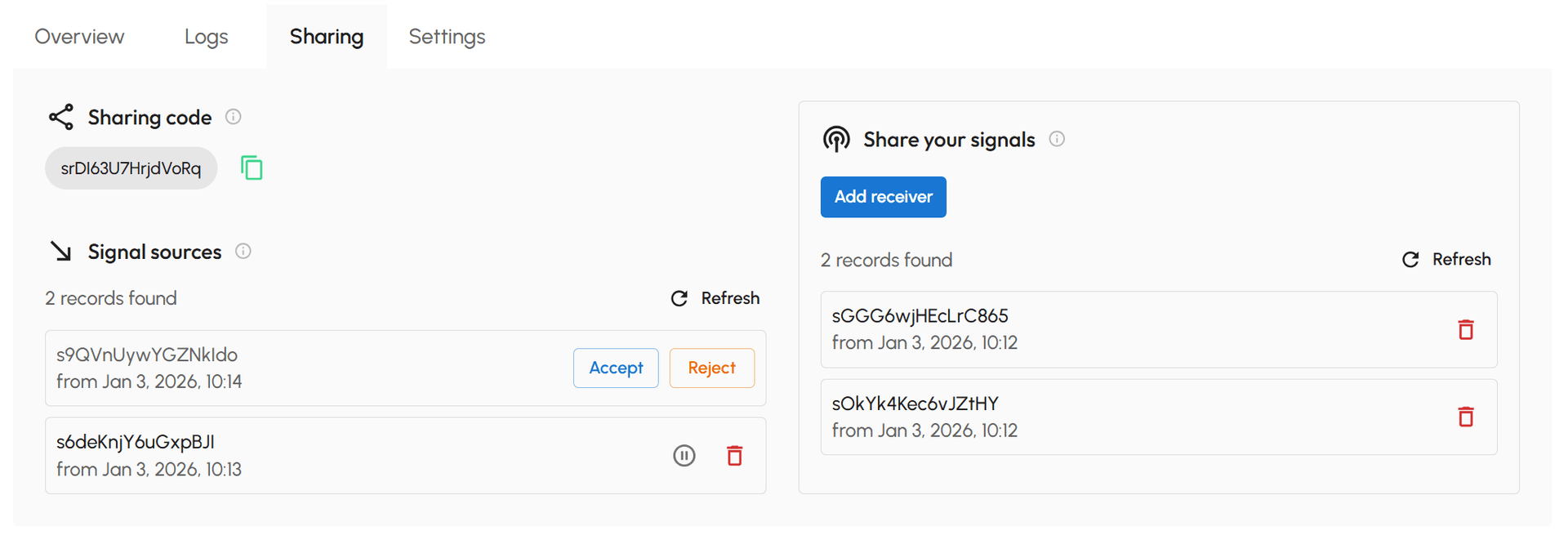
How to get Sharing Code
Sharing Code is available under Sharing code section. Just click Copy button to copy it.
Each connection has its own unique sharing code. Share it only with your signal providers when you want to receive their trading signals. Do not make it public, to avoid unwanted sharing requests.
How to share signals
- Under Share your signals section, click Add receiver button
- Enter the Sharing Code from the receiver who will receive your trading signals
- Click Add to confirm
- If you are sharing trading signals between your own connections, the receiver will be accepted by default. No additional action required.
- If you are sharing trading signals with your followers' connections on Pip Sender, they must accept your sharing request before they can receive your trading signals. While awaiting acceptance, the sharing code in the list will appear dimmed.
After setup, all incoming TradingView alerts are broadcast to receivers and processed on their connections, with no limit on the number or type of receivers.
To stop sharing signals with a receiver, simply remove them from the list.

How to receive signals
- Copy your Sharing Code
- Send the code to your signal provider
- Once they add you as a receiver, the request will appear under Signal Sources, click Accept to receive the shared signals
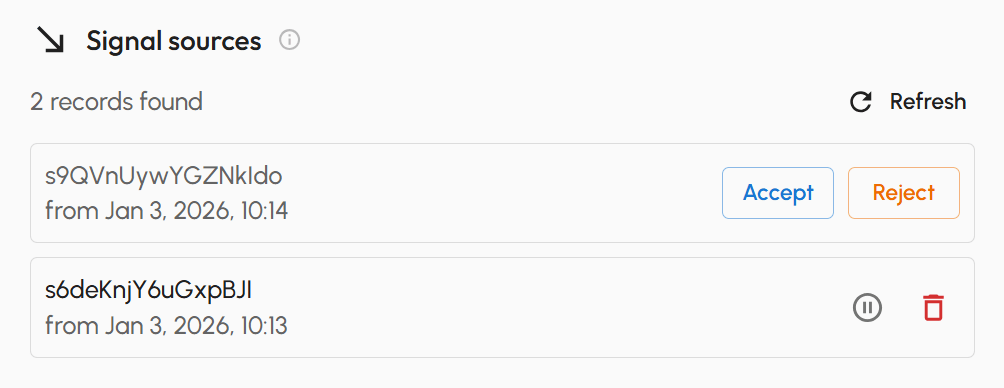
- If you receive a sharing request but change your mind, click Reject to remove it.
- To temporarily stop receiving signals, click Pause on the signal source. You can Resume anytime when you're ready to continue.
- To stop receiving shared signals permanently, click Delete on the signal source.